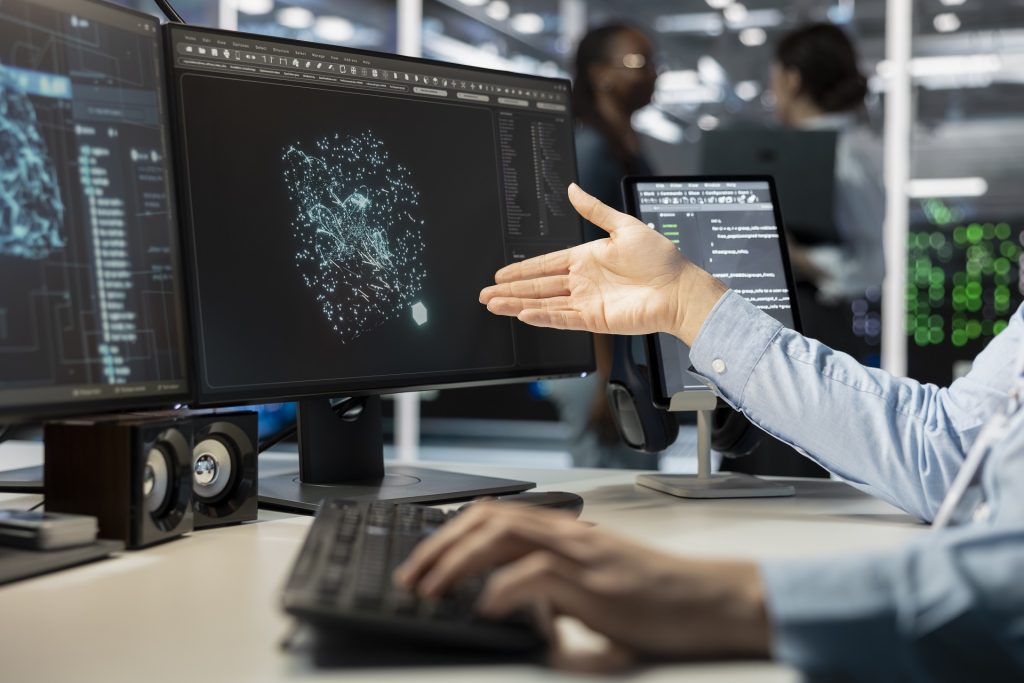
The global human machine interaction software market is on track to surpass $10.83 billion by 2032, growing at an 8.5% annual rate.
That growth tells a clear story: businesses across every sector are investing in smarter, more responsive ways for people and machines to communicate.
But fast growth also raises a bigger question – as machines grow more intelligent, how do we ensure they still feel human?
This article breaks down what human-machine interaction software is, how it works, which industries use it, and what the future holds.
Whether you are an industrial engineer, a product manager, or a business leader evaluating automation tools, this guide gives you the full picture.
What Is Human Machine Interaction Software?
Human-machine interaction (HMI) software connects operators with machines and industrial automation systems.
HMI software displays real-time machine data through dashboards, screens, and visual controls, allowing operators to monitor performance and send commands. Industrial HMI software improves efficiency, reduces downtime, and increases operational safety.
In industrial environments, HMI software scales this process across hundreds of connected machines, giving operators centralized control and live system visibility.
HMI software, also called man-machine interface (MMI), operator interface terminal (OIT), or human-computer interface (HCI), helps users monitor, control, and optimize industrial processes.
HMI interfaces translate complex machine data into clear visual feedback, improving decision-making and response speed.
The main difference between HMI and UI software is function and environment. HMI software connects directly to industrial equipment, processes live operational data, and meets strict safety and reliability standards.
Standard UI software supports consumer devices like phones and computers, but does not manage industrial automation systems.
How Does Human Machine Interaction Software Work?
It does so in 5 steps:
- Sensors detect user actions and environmental conditions on the factory floor.
- Software processes human input and translates it into machine commands.
- Systems respond to user commands by adjusting speed, temperature, pressure, or any other controlled variable.
- Machines interpret gestures and voice commands in more advanced setups.
- Dashboards monitor system performance so operators always know what is happening.
The data flows in two directions. Field devices such as PLCs, sensors, and actuators feed live data up to the HMI layer through industrial communication protocols like OPC-UA or Modbus.
The software then renders that data as real-time system monitoring displays – charts, alarms, trend graphs, and KPI tiles. When an operator acts on that information, the command travels back down the chain to the physical equipment.
Modern human-machine interaction software is built around several core components that together deliver a seamless, integrated experience:
- A graphics engine that renders dynamic, customizable dashboards
- A tag database that links software variables to real-world data points
- An alarm management system that flags threshold breaches instantly
- A data historian who logs process data for trend analysis and compliance
- A connectivity layer that handles interoperability with SCADA, MES, ERP, and IoT platforms
- Responsive feedback systems that keep operators informed as conditions change
Software integrates with connected devices across the entire production environment. This seamless machine integration is what gives operators a unified, real-time view of every moving part – from a single workstation or even a mobile device.
What Industries Use Human-Machine Interaction Software?
Almost every industry runs automated equipment. Manufacturers across discrete and process industries rely on HMI software to synchronize production lines, track output, and respond to faults in real time.
Automation improves workflow efficiency in these environments in ways that were simply not possible with manual control alone.
Here is a look at the key sectors driving adoption:
- Manufacturing: Assembly-line control, robot supervision, and quality monitoring. The energy and power segment holds the largest revenue share in the HMI market due to the critical need for reliable process control.
- Oil and Gas: Pipeline monitoring, refinery control, and remote operation in hazardous zones where physical accessibility is limited.
- Food and Beverage: Batch processing, temperature control, and automated packaging. This is the fastest-growing vertical by HMI software adoption.
- Pharmaceuticals: Compliance-driven validation and clean-room monitoring, where data visualization capabilities directly support regulatory reporting.
- Automotive: Assembly robot coordination and in-vehicle ADAS displays, where motion HMI and sensor-based interaction are becoming standard.
- Healthcare: Medical device interfaces and surgical robot controls, where reliability and accessibility are non-negotiable.
- Water and Wastewater: Pump control, chemical dosing, and treatment plant oversight – often managed remotely through mobile HMI dashboards.
The range of users is just as broad. Industrial engineers configure and maintain these systems.
- Automation specialists fine-tune workflows and setpoints.
- System integrators connect HMI platforms to legacy equipment and new IoT devices.
- UX designers ensure the interfaces remain user-friendly and easy to navigate.
- Software developers extend platform functionality through APIs and custom scripts.
- Business leaders use the KPI dashboards to guide operational strategy.
HMI vs. SCADA: Understanding the Difference
Both deal with machine monitoring and control, but they operate at different scales. HMI software handles local or machine-level control at a single zone or station.
SCADA (Supervisory Control and Data Acquisition) spans entire facilities, regions, or enterprise-wide networks – integrating multiple HMI nodes, databases, and reporting layers into one system.
A useful analogy: the HMI is the cockpit instrument panel of a single aircraft, while SCADA is the air traffic control tower coordinating an entire fleet.
Modern platforms like Ignition by Inductive Automation blur that line by offering both capabilities in a single, scalable deployment architecture.
What Features Improve Usability in HMI Software?
The best platforms combine functional depth with operator-friendly design. Here are the capabilities that make the biggest difference:
Real-Time System Monitoring and Data Visualization
HMI software supports real-time monitoring through dynamic dashboards that update at process speed, showing sensor readings, trend charts, and alarm states as they happen.
Strong data visualization capabilities turn raw machine data into actionable insight. Operators can see exactly what is happening – and act before problems escalate.
Customizable Dashboards and Workflow Automation Tools
No two operations are identical. Customizable dashboards allow teams to surface the metrics that matter most to their specific process.
Paired with workflow automation tools, operators can define event-driven rules – automatically adjusting machine states or sending alerts when conditions change – without manual intervention.
Customization at this level directly improves efficiency and reduces human error.
Voice and Gesture Recognition
How does gesture or voice recognition work in HMI systems? Machines interpret gestures and voice through a combination of sensors, cameras, and AI-powered processing engines.
Voice and gesture recognition allow operators to interact with systems hands-free – a critical feature in environments where physical contact with a screen is impractical or unsafe.
Motion HMI held roughly 41% market share in 2023 and continues to grow as factories modernize.
Scalability, Connectivity, and Interoperability
The best HMI software grows with your operation. Scalability means adding more tags, clients, or sites without rearchitecting the system or absorbing heavy licensing costs.
Connectivity to SCADA, MES, ERP, cloud platforms, and IoT device networks ensures that data flows freely across the enterprise.
Interoperability with legacy PLCs and modern edge devices means no vendor lock-in. For system integrators managing complex, multi-vendor environments, this adaptability is essential.
Security and Reliability
As HMI platforms connect to cloud and IIoT networks, cybersecurity becomes a first-class design concern.
Role-based access control, encrypted communications, and audit logging are table stakes. Reliability in industrial environments also demands high uptime, redundancy options, and rigorous testing before deployment.
Leading vendors now partner directly with cybersecurity firms to provide proactive threat monitoring for their platforms.
How Does HMI Software Improve Automation and Operational Efficiency?
How does HMI software improve automation? And how does HMI software improve operational efficiency?
Both questions have the same root answer: by giving people better information and better control, faster.
The data is compelling. Deploying advanced human-machine interaction software has been shown to reduce manual process errors by nearly 48% and extend operational visibility by more than 72% across industrial environments.
More than 61% of industrial operating systems globally were already integrated with HMI technologies by 2024.
The efficiency gains come from several directions at once:
- Real-time alerts compress decision cycles. Operators catch anomalies in seconds, not minutes, reducing the window for costly downtime.
- Predictive maintenance capabilities, powered by AI analysis of historian data, allow teams to address equipment wear before failure occurs.
- Responsive feedback systems mean operators get immediate confirmation that their commands have been received and executed.
- Intuitive user interfaces reduce training time for new operators, lowering onboarding costs and accelerating productivity.
For product managers and business leaders, this translates directly to the bottom line: less waste, fewer errors, lower downtime costs, and more consistent output quality.
What Are the Best HMI Software Platforms?
What are the best HMI software platforms? The answer depends on your industry, scale, and integration needs. Here is a brief overview of the leading options:
Ignition SCADA by Inductive Automation
A top choice for manufacturing, energy, and food processing. Its unlimited licensing model means no per-tag fees, making scalability cost-effective. Web-based deployment lets runtime clients run on any device.
AVEVA InTouch HMI
Known for its rich industrial graphics library and HTML5 web client. Strong in oil and gas, food and beverage, and energy sectors. Its integrated historian gives deep data visualization capabilities for pattern analysis.
FactoryTalk View by Rockwell Automation
Covers machine-level and distributed system needs in one platform. Best suited for automotive and pharmaceutical environments with deep Allen-Bradley PLC integration.
SIMATIC WinCC by Siemens
A scalable solution from single-user setups to enterprise-wide distributed systems. Multi-touch gesture support and mobile SCADA access make it a strong choice for complex industrial environments
Vijeo Designer by Schneider Electric
Part of the EcoStruxure ecosystem. Its simulation mode and powerful graphics editor are ideal for energy management and building automation applications.
Cloud-based and low-code platforms are also growing fast, opening the HMI market to smaller businesses that need quick deployment without deep engineering resources.
Emerging Trends: The Future of Human-Machine Interaction Software
The next generation of human-machine interaction software is being shaped by a set of converging technologies that are making interfaces smarter, faster, and more adaptable than ever before.
AI-Powered, Intelligent Interfaces
Artificial intelligence is turning passive displays into intelligent decision-support systems. AI-enhanced platforms learn from operator behavior to surface predictive alerts, personalize dashboards, and optimize workflow automation tools automatically.
Nearly 39% of new HMI product launches now include AI-driven visualization and predictive analytics. This intelligence layer is what truly separates modern human-machine interaction software from legacy control panels.
Cloud Connectivity and IIoT Integration
Cloud-connected HMI deployments have grown 47% in recent years. Cloud platforms offer elastic scalability, automatic software updates, and remote monitoring from anywhere in the world.
Combined with IIoT connectivity, modern HMI software can synchronize data from thousands of edge sensors across multiple sites into a single unified dashboard. This level of integration is transforming how automation specialists and system integrators design industrial ecosystems.
Augmented Reality and Next-Generation Interaction
Augmented reality (AR) overlays are giving maintenance teams the ability to view live process data and fault diagnostics superimposed directly onto physical equipment through AR glasses or tablets.
This advances the concept of sensor-based interaction to an entirely new level – the machine and the real world merge into one interactive experience.
Voice and gesture recognition are also moving from novelty to necessity, especially in environments where touchscreen access is impractical.
HTML5 and Low-Code Deployment
OS-independent HTML5 clients allow HMI applications to run on virtually any web-enabled device, eliminating platform lock-in.
Low-code builders are making it faster and easier for teams – including those without deep scripting experience – to design and deploy user-friendly interfaces rapidly.
This democratization of HMI development is particularly valuable for smaller manufacturers and emerging market operations.
How to Choose The Right Human-Machine Interaction Software
With so many platforms available, selecting the right human-machine interaction software requires a structured approach. Here is a practical framework:
- Define your user requirements first. Map the exact workflows your operators need to perform, the number of data points to monitor, and the level of customization required.
- Check hardware compatibility. Make sure the software supports your existing PLCs, sensors, and communication protocols to avoid costly re-engineering.
- Evaluate scalability. Can it grow with your operation without punitive licensing fees? A scalable deployment architecture saves significant cost over time.
- Assess integration breadth. Does it connect natively to your SCADA, MES, ERP, and cloud systems? Strong connectivity reduces integration effort for your software developers and system integrators.
- Prioritize security and compliance. Look for role-based access control, encrypted communications, and built-in support for industry standards like IEC 62443 or FDA 21 CFR Part 11.
- Consider the total cost of ownership. Factor in licensing, maintenance, training, and upgrade paths – not just the upfront price.
- Verify remote access capability. If your teams operate across multiple sites or in the field, mobile and web-based access is essential for operational responsiveness.
Bottom Line
Human-machine interaction software is not just a technical tool. It is the point where people and technology meet.
The best platforms today – whether that is Ignition, AVEVA, FactoryTalk, WinCC, or a cloud-native newcomer – share a common goal: they make it easier for people to understand, control, and trust the machines they work alongside.
The human–machine era is already here. The question is not whether your business will adopt smarter interaction software – it is whether you will do it in a way that puts your people first.
Ready to explore your options? Dive into our platform comparison guides, or speak with an automation specialist to find the human machine interaction software that fits your operation best.
FAQs
HMI software is important in automation because it gives operators real-time visibility into machines, processes, and system performance. HMI software improves efficiency by displaying data, triggering alarms, and enabling faster decisions. Industrial automation uses HMI software to reduce downtime, improve safety, and increase production accuracy.
Machines interpret human input by converting commands, touch inputs, and sensor data into machine-readable instructions. HMI software captures user actions and sends signals to PLCs, SCADA systems, or controllers. This process allows machines to execute tasks, adjust settings, and respond in real time.
The main components of HMI software are graphical dashboards, alarm management, data visualization, reporting tools, and communication protocols. HMI software connects with PLCs, sensors, and industrial controllers to display machine status and process data. These components improve operator control and system efficiency.
HMI software that integrates with SCADA and MES includes Ignition, Siemens WinCC, AVEVA InTouch, FactoryTalk View, and Wonderware. These platforms connect machine-level data with supervisory control and manufacturing execution systems. Integration improves production visibility, data accuracy, and workflow automation.
HMI software supports predictive maintenance by collecting machine data, tracking performance trends, and identifying early warning signs of failure. Operators use HMI dashboards to monitor temperature, vibration, and uptime metrics. Predictive maintenance reduces downtime by up to 30% and lowers maintenance costs.
Look for HMI software with real-time monitoring, alarm management, mobile access, SCADA integration, reporting tools, and cybersecurity controls. Strong HMI software supports customizable dashboards, remote troubleshooting, and predictive analytics. These features improve operational efficiency and reduce system downtime.
HMI software with remote monitoring capabilities allows operators to monitor machines, production lines, and industrial systems from any location. Remote HMI software provides live dashboards, mobile alerts, and cloud-based access. This capability improves response times, reduces downtime, and supports 24/7 operations.
The best HMI software for multi-site operations includes Ignition, Siemens WinCC Unified, AVEVA Edge, and FactoryTalk View SE. These platforms centralize data from multiple plants, standardize reporting, and enable remote management. Multi-site HMI software improves operational consistency and reduces system complexity.
Buy HMI software for industrial automation to improve machine visibility, reduce downtime, and increase production efficiency. HMI software connects operators with PLCs, sensors, and automation systems through real-time dashboards and alerts. Businesses use HMI software to improve safety, speed decision-making, and scale operations.
Primarily through open communication standards like OPC-UA and Modbus, which ensure interoperability with PLCs, sensors, and third-party systems from different vendors.